

Why External SSDs Are Getting More Expensive — And Why Many People Are Still Willing to Pay
There was a time when buying an external SSD felt like a simple decision. You needed faster file transfers than a USB flash drive could offer, or a convenient way to carry data between computers, so you picked something affordable and moved on.
Today, that decision feels very different.
Browse external SSDs now and you’ll see prices that vary wildly. Some models are relatively inexpensive, while others cost several times more — sometimes enough to make you stop and wonder who would ever buy them.
Yet despite the high prices, those premium external SSDs do sell. And often, the people buying them do so without hesitation.
So what changed?
External SSDs Have Shifted From “Storage” to “Workspace”
For years, external SSDs played a supporting role.
They were mainly used to copy files, store backups, or move data from one machine to another. The actual work still happened on internal drives.
That workflow no longer fits how many people work today.
Large video files, RAW photos, complex project folders, and growing datasets have pushed users toward a different approach: working directly from the external drive. Instead of copying files back and forth, the SSD itself becomes the place where work happens.
Once an external SSD turns into a workspace rather than a container, expectations change. Speed, consistency, and reliability matter far more than raw capacity alone.
Data Is Heavier, and Waiting Is Costly
File sizes aren’t just growing — they’re growing fast. High-resolution video, layered creative projects, and data-heavy workflows all demand more from storage.
More importantly, waiting has become expensive.
Waiting to copy files before starting work.
Waiting for projects to load.
Waiting because storage can’t keep up with the rest of the system.
For professionals, especially freelancers and small studios, time lost to delays directly affects productivity. In that context, a more expensive external SSD can make sense if it reduces friction throughout the workday.
The comparison shifts from “expensive vs cheap SSD” to “faster workflow vs lost time.”
New Connection Standards Aren’t Meant for Casual Use
Many external SSDs now use USB-C, which often leads to confusion. USB-C describes the connector, not performance. High-end standards like Thunderbolt unlock much higher bandwidth, but only when the rest of the hardware can keep up.
Not every drive labeled “Thunderbolt” delivers the same experience. Without strong internal components, proper controllers, and adequate thermal design, performance can fall short of expectations.
This is why two drives with similar-looking specs can feel completely different in real use — and why price gaps exist within the same category.
Premium External SSDs Are Built Differently Inside
From the outside, many external SSDs look alike. Small metal enclosures, modern ports, impressive numbers on the box.
Inside, however, the differences are significant.
High-end external SSDs are designed to sustain performance over long sessions, handle continuous workloads, and avoid sudden slowdowns caused by heat or bottlenecks. They aren’t optimized for short benchmark runs — they’re built for real-world consistency.
That design philosophy costs more, but it’s also what separates a professional tool from a convenient accessory.
Why Some People Are Happy to Pay More
People who choose premium external SSDs usually aren’t paying for capacity alone.
They’re paying for:
A smoother workflow
Fewer interruptions
The confidence that storage won’t become the weakest link
For them, an external SSD is closer to a desk or a workstation than a gadget. It doesn’t make them better at their job overnight, but it removes friction that slows everything down.
Notable Examples in the High-End External SSD Space
Looking at a few representative products helps clarify how this segment has evolved.
OWC Thunderbolt 5 External SSD
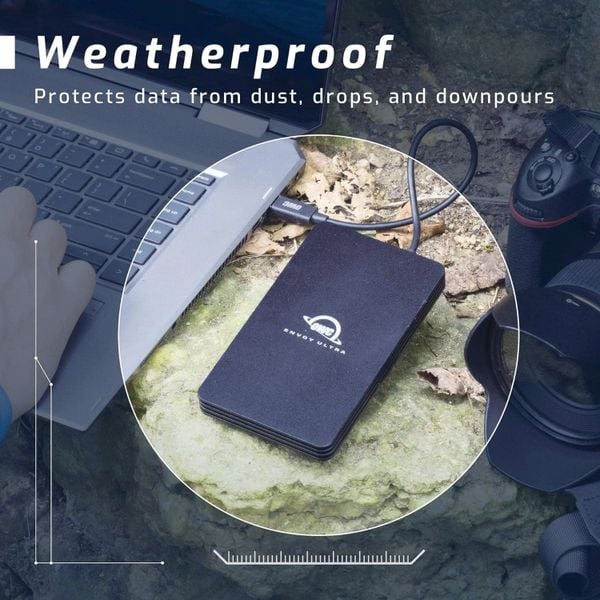
👉 More detail about OWC Thunderbolt 5 External SSD
OWC has long focused on professional users, particularly within the Mac ecosystem. Its Thunderbolt 5 external SSDs reflect a clear philosophy: external storage should support demanding workflows without compromise.
Rather than emphasizing flashy specs, these drives are positioned as reliable workspaces for tasks like high-resolution video editing and large-scale data handling. They’re aimed at users who prefer stability and sustained performance over entry-level pricing.
SanDisk Professional PRO-G40
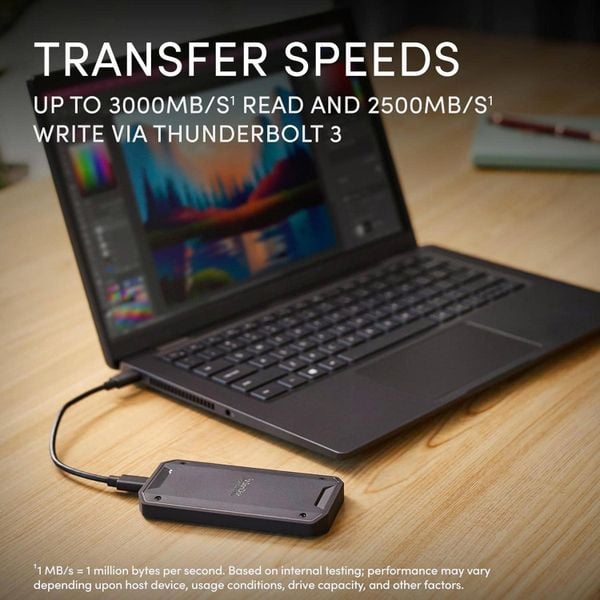
👉 More detail about SanDisk Professional PRO-G40
SanDisk’s Professional PRO-G40 takes a more balanced approach. It supports both Thunderbolt and USB-C, making it flexible across different setups while still focusing on durability and consistency.
It’s well suited for photographers, video editors, and creators who move between machines and value reliability as much as speed. This model shows that “premium” doesn’t always mean chasing the absolute highest performance — sometimes it means dependable performance over time.
Samsung X5 Thunderbolt SSD
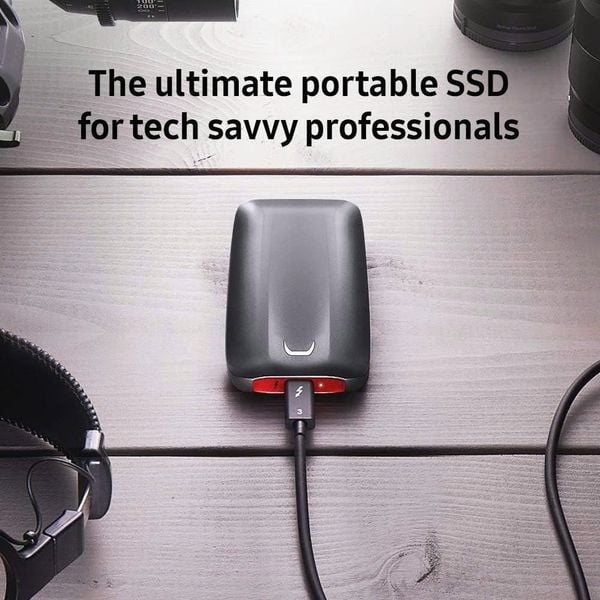
👉 More detail about Samsung X5 Thunderbolt SSD
Although no longer new, the Samsung X5 is an important historical example. It demonstrated early on that there was a market for expensive external SSDs designed for serious work.
Its existence reinforces a key point: high-priced external SSDs aren’t a short-term trend. They emerge whenever workflows demand more than basic storage solutions can provide.
What These Drives Have in Common
Across different brands and generations, premium external SSDs share a few core traits:
They prioritize real-world performance over marketing numbers
They target specific users, not everyone
They focus on reducing friction in daily work
They’re not meant to be default purchases. But for the right users, they deliver exactly what’s needed.
Who Actually Needs a Premium External SSD?
You might want to consider one if:
You work with large media or data-heavy projects
Storage speed directly affects your productivity
An external drive is part of your daily workflow
On the other hand, if your needs are limited to backups, personal storage, or occasional file transfers, a more affordable SSD will likely be a better fit.
Expense or Investment?
Whether a high-end external SSD feels expensive or reasonable depends entirely on how you use it.
Viewed in isolation, the price can seem high. Viewed as part of a workflow that saves time, reduces frustration, and improves consistency, it may be easier to justify.
For some users, it’s an unnecessary cost.
For others, it’s a practical investment.
Both perspectives are valid.
Final Thoughts
External SSDs are getting more expensive because their role has changed. They’re no longer just storage devices — they’re becoming extensions of the workspace itself.
Not everyone needs that level of performance, and no one should buy it just for the specs. But if your workflow is starting to feel limited by storage, it may be worth looking at external SSDs from a different angle.
If you’re curious why some of these drives command such high prices, you can explore the detailed specifications and real-world feedback through the links below and decide whether they make sense for your own setup.
(Some links on our site may be affiliate, meaning we may earn a small commission at no extra cost to you.)
Subscribe now !
Be the first to explore smart tech ideas, AI trends, and practical tools – all sent straight to your inbox from IkigaiTeck Hub

IkigaiTeck.io is an independent tech publication sharing practical insights on AI, automation, and digital tools.